Installation
Step 1: Download Plugins
Will need to update this after it's on Fab.Step 2: Navigate to Plugins
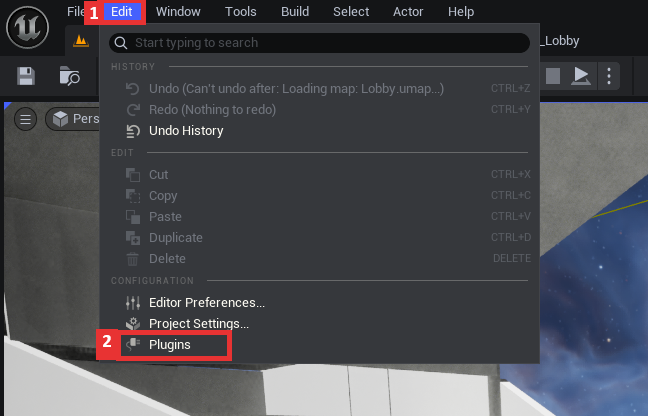
With your project editor open, navigate to Edit -> Plugins.
Step 3: Enable Plugins
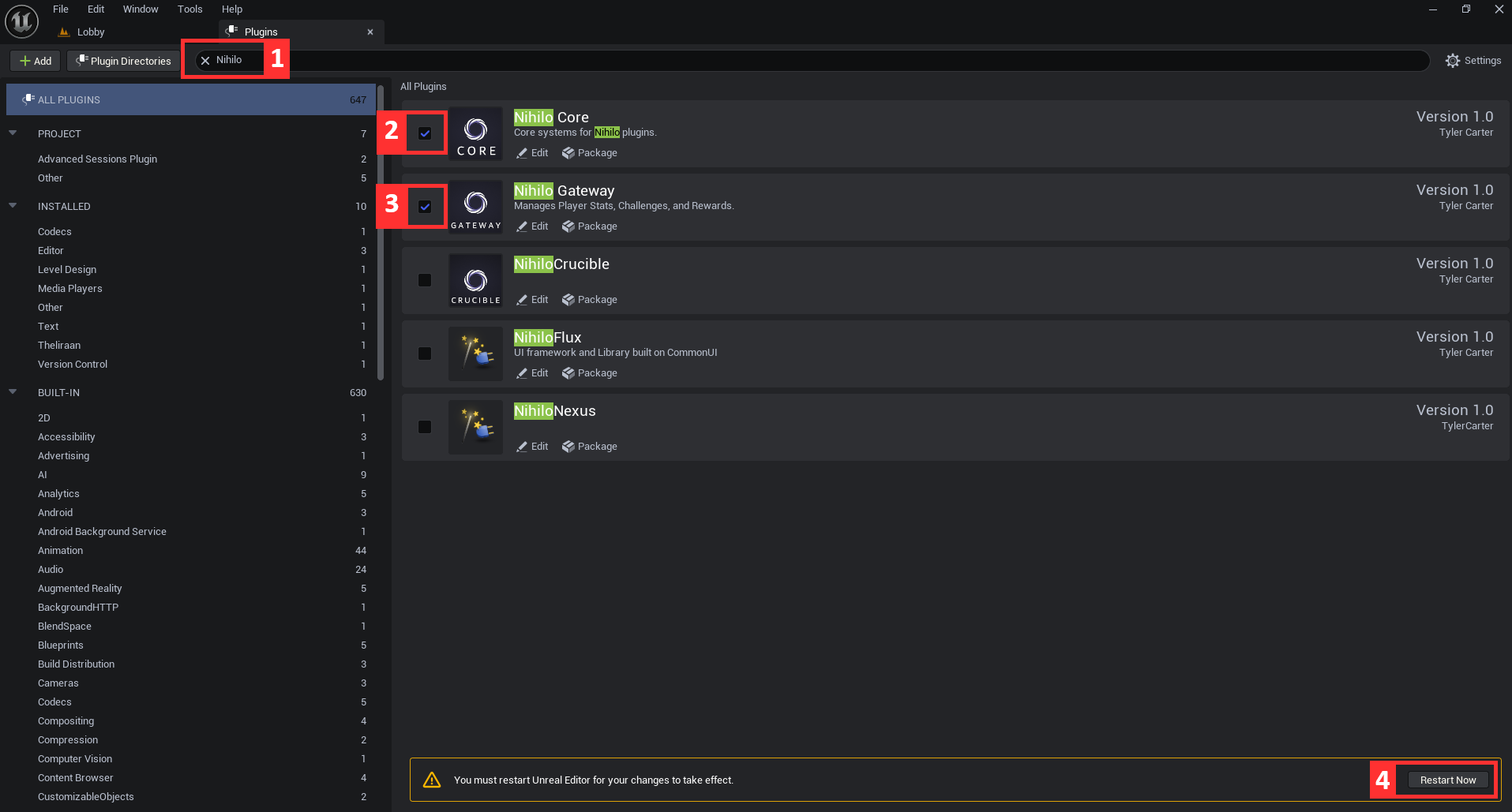
- In the search bar, enter "Nihilo". This should find both of the required plugins.
- Enable the Nihilo Core dependency plugin.
- Enable the Nihilo Gateway plugin.
- When ready, restart the editor.
Remember to save any important work before restarting the editor!
That's it! Your project is now equipped with the Gateway plugin.