Cheats
Console Commands
Gateway registers a set of console commands through the GatewayCheatSubsystem for
manipulating and inspecting player progress at runtime. These are available in PIE and in non-shipping builds.
All commands operate on the local player. In a multiplayer PIE session, make sure the correct player's console is active before running a command.
| Command | Arguments | Description |
|---|---|---|
| UpdateStat | StatID Value | Submits an update to a stat using its normal update policy. |
| ResetStat | StatID | Resets a single stat to its default value. |
| ResetAllStats | — | Resets all stats for the local player. |
| CompleteChallenge | ChallengeID | Immediately completes a single challenge. |
| ResetChallenge | ChallengeID | Resets a single challenge back to an incomplete state. |
| ResetAllChallenges | — | Resets all challenges for the local player. |
| CompleteAllChallenges | — | Immediately completes all challenges for the local player. |
| GrantReward | RewardID | Grants a single reward to the local player. |
| ResetReward | RewardID | Resets a single reward to an ungranted state. |
| ResetAllRewards | — | Resets all rewards for the local player. |
| GrantAllRewards | — | Grants all rewards to the local player. |
| ResetAllProgress | — | Resets all stats, challenges, and rewards for the local player in one operation. |
| SwitchSlot | SlotName | Switches the active save slot. Subsequent saves and loads will use the new slot name. |
| OpenDebug | — | Opens the Gateway debug overlay. |
| CloseDebug | — | Closes the Gateway debug overlay. |
| WatchStat | StatID | Pins a stat to the watch list in the overlay. Running the command again on a watched stat removes it. |
| StopWatchStat | StatID | Explicitly removes a stat from the watch list. |
| WatchChallenge | ChallengeID | Pins a challenge to the watch list in the overlay. Running the command again removes it. |
| StopWatchChallenge | ChallengeID | Explicitly removes a challenge from the watch list. |
| WatchReward | RewardID | Pins a reward to the watch list in the overlay. Running the command again removes it. |
| StopWatchReward | RewardID | Explicitly removes a reward from the watch list. |
| SuppressStat | StatID | Silences live update messages for a stat in the overlay message feed. |
| UnsuppressStat | StatID | Re-enables update messages for a previously suppressed stat. |
| SuppressChallenge | ChallengeID | Silences live update messages for a challenge in the overlay message feed. |
| UnsuppressChallenge | ChallengeID | Re-enables update messages for a previously suppressed challenge. |
| SuppressReward | RewardID | Silences live update messages for a reward in the overlay message feed. |
| UnsuppressReward | RewardID | Re-enables update messages for a previously suppressed reward. |
| PrintStat | StatID | Prints a stat's current value and previous value to the overlay message feed. |
| PrintChallenge | ChallengeID | Prints a challenge's current completion status to the overlay message feed. |
| PrintReward | RewardID | Prints a reward's current granted status to the overlay message feed. |
Debug Overlay
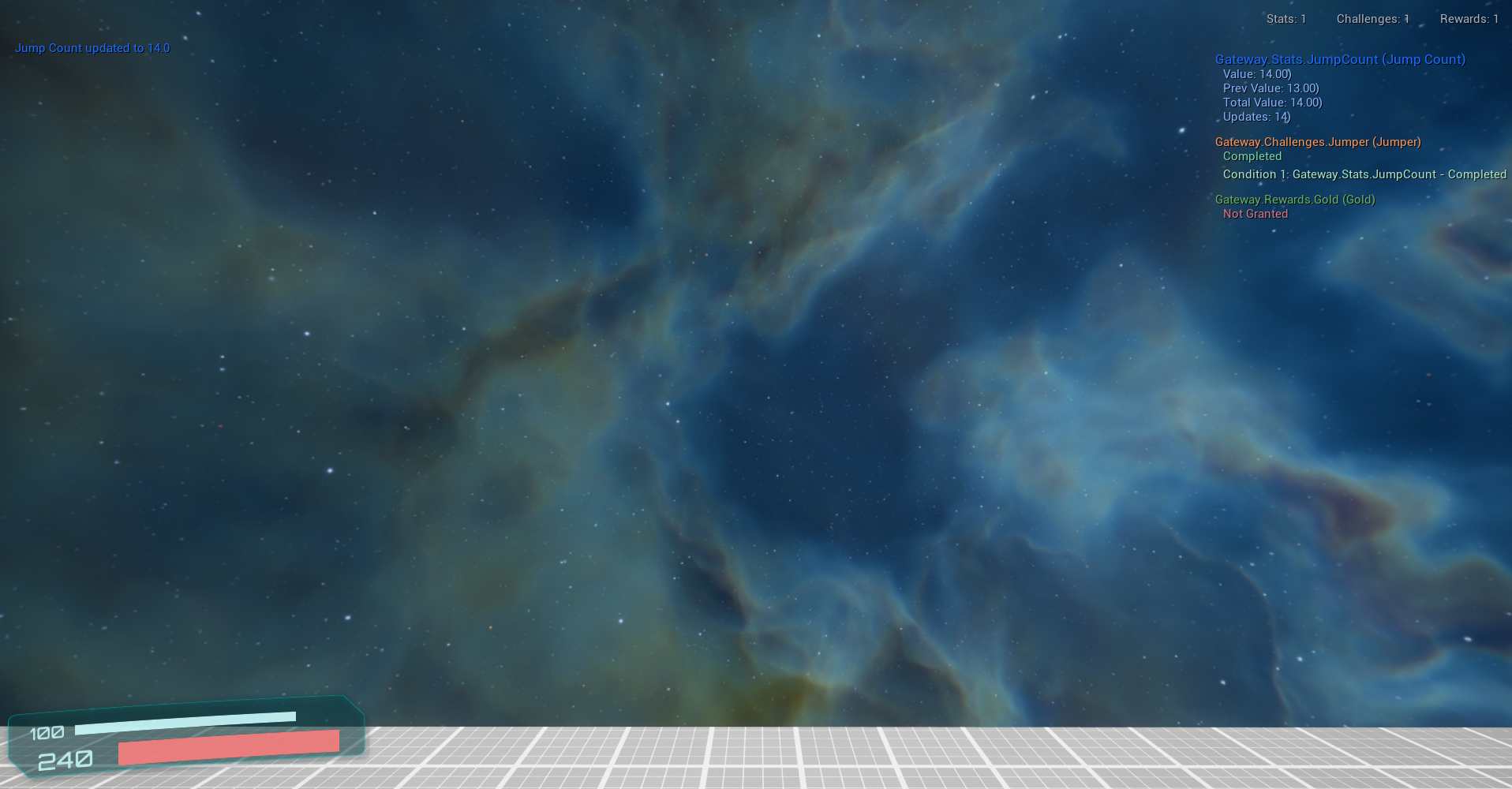
The Gateway debug overlay is an in-game panel for monitoring stats, challenges, and rewards in real time.
It is opened and controlled entirely through console commands — there are no separate UI bindings to configure.
Message Feed
The overlay displays a live message feed showing stat updates, challenge completions, and reward grants as they occur.
In sessions with a lot of activity, individual updates can get noisy quickly. Use SuppressStat,
SuppressChallenge, or SuppressReward to silence specific
items you don't currently care about, and their Unsuppress counterparts to bring them back.
Watch List
Specific stats, challenges, and rewards can be pinned to a watch list for persistent visibility.
Watched items stay visible in the overlay regardless of whether they've produced a recent message.
This is useful when you need to keep an eye on a specific value across many frames or actions without
having to repeatedly print it. Use WatchStat, WatchChallenge,
or WatchReward to add items, and the Stop variants or a second Watch call to remove them.
Snapshot Printing
If you just need a one-time readout of a specific item's current state without watching it continuously,
PrintStat, PrintChallenge, and PrintReward will
post a snapshot to the message feed on demand. Stats include their current and previous value; challenges and rewards show their completion or grant status.